App Guides
How to Cancel ReelShort Subscription: iPhone, Android, Web
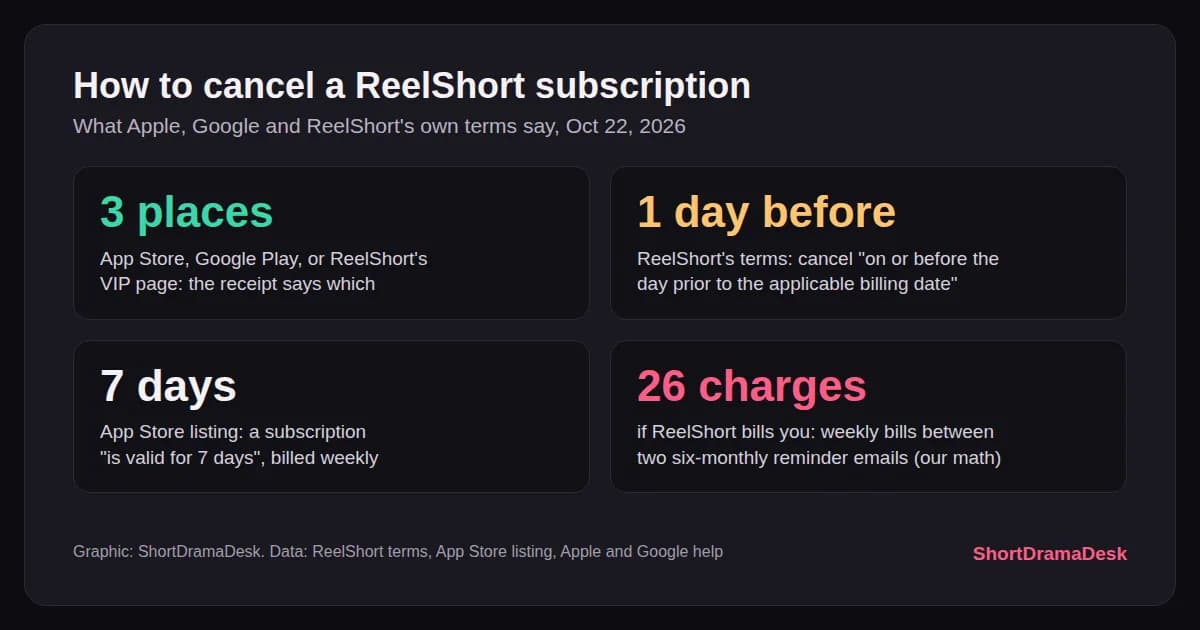
Cancel wherever you paid: iPhone Settings if Apple billed you, Google Play if Android did. The catch in how to cancel ReelShort subscription plans is timing: do it a full day before the next charge, on the account that actually paid. A plan ReelShort bills itself stops on its VIP page.
TL;DR: Find the receipt first, then cancel there. iPhone: Settings, your name, Subscriptions. Android: Google Play subscriptions. Paid on reelshort.com: the VIP page or account settings. ReelShort's terms want the request "on or before the day prior to the applicable billing date". Google says uninstalling the app does not cancel the plan. Checked Oct 22, 2026.
As of Oct 22, 2026: steps and prices as Apple, Google and ReelShort listed them that day. All three change their menus; we recheck and log changes below.
How to cancel ReelShort subscription? (quick answer)
Cancel it with whoever bills you. Apple-billed plans stop in Settings under your name and Subscriptions; Google-billed plans stop in Google Play's subscriptions list; plans ReelShort bills itself stop on its VIP page. Do it at least one day before the billing date, and confirm the plan shows an end date afterwards.
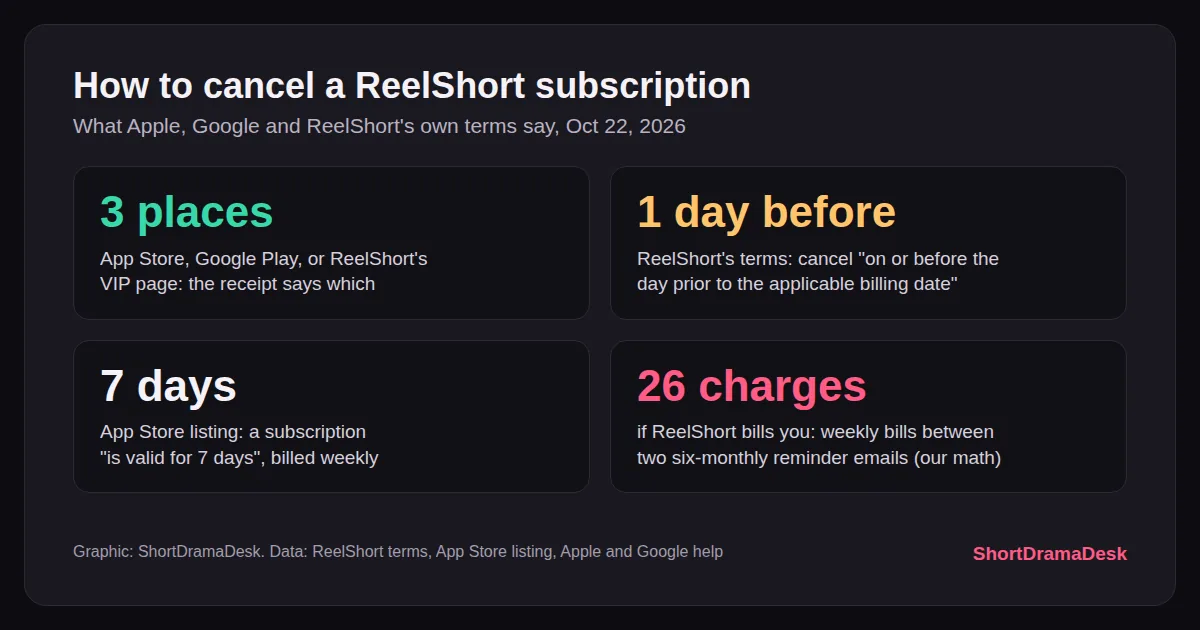 Graphic: ShortDramaDesk, from ReelShort's terms, its App Store listing and Apple's and Google's help pages, Oct 22.
Key Takeaways
- Three places: App Store, Google Play, or ReelShort's VIP page. The receipt tells you which.
- One day early: the terms bill you for the next period if you cancel on the billing date.
- Seven days: the App Store listing says a subscription "is valid for 7 days" and is "billed weekly".
- $19.99: three "Subscription" rows on the App Store listing, Oct 22.
- Uninstalling cancels nothing on Google Play: Google says so in bold.
Overview: who bills you decides where you cancel
ReelShort's own pages describe three places to manage its VIP plan, and each keeps its own subscription list. The App Store and Google Play hold plans bought through them. For a plan ReelShort bills itself, its terms describe a separate route: "log in to your app account, go to the VIP page, and follow the clearly displayed Subscription Management instructions." Its subscription guide adds a website route under Settings.
So start with the receipt, not the app. Apple's help page says to search your email for the words "receipt from Apple" or "invoice from Apple", then check which Apple Account is on it. If neither store has one, Apple's page points at your card statement: "You might've bought the subscription from another company."
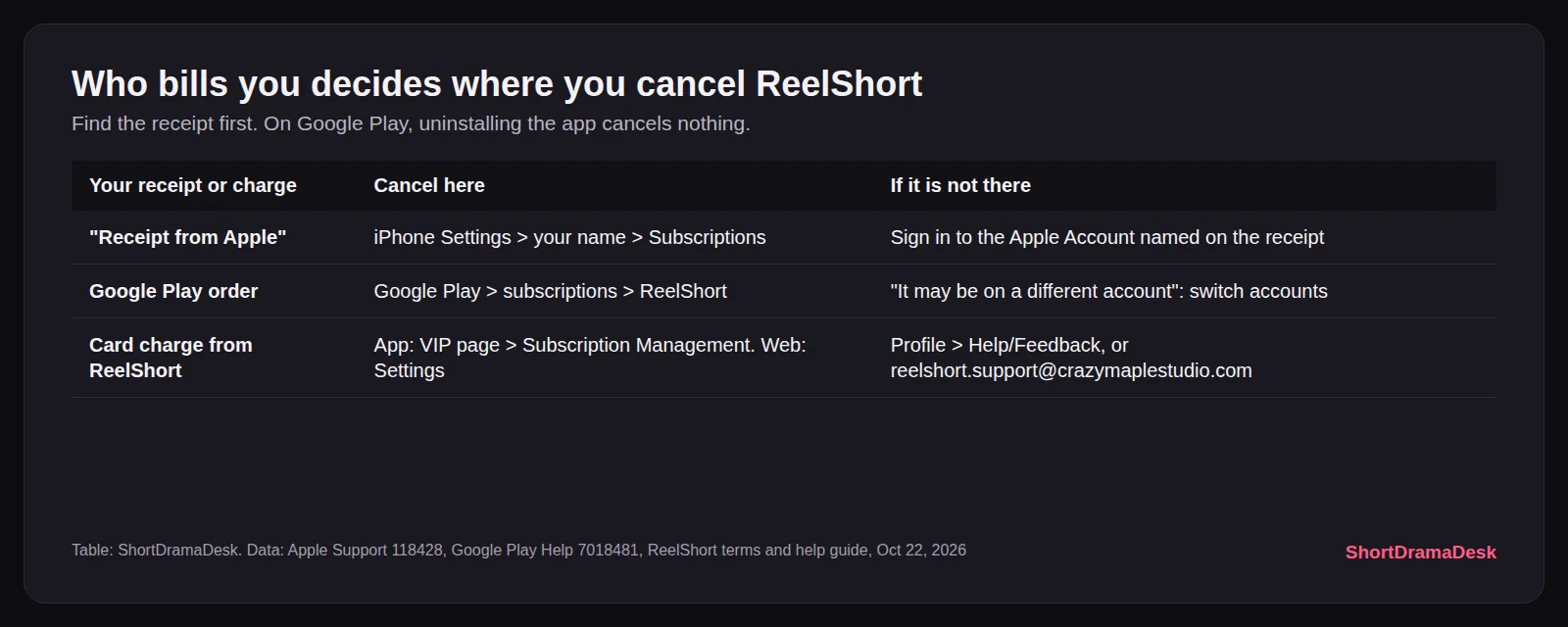 Table: ShortDramaDesk, from Apple Support 118428, Google Play Help 7018481 and ReelShort's terms, Oct 22.
The ReelShort listing on the App Store still prints an older iPhone route: "Settings > iTunes & App Store > Apple ID > View Apple ID > Subscriptions > ReelShort." Apple's current help page is shorter, and it is the one to follow. Our ReelShort app page keeps the store's price rows and rating history.
Step-by-Step: how to cancel ReelShort subscription on each device
1. Find the receipt. Search your email for "receipt from Apple", then for a Google Play order. No store receipt means ReelShort, or another company, charged your card directly.
2. Cancel on iPhone or iPad. Apple's four steps: "In Settings, tap your name." Tap Subscriptions, tap the subscription, then tap Cancel Subscription. You might need to scroll for the button.
3. Cancel on a Mac. "In the App Store, click your name at the bottom of the sidebar." Then click Subscriptions, the subscription, and Cancel Subscription. It is the same Apple plan, so one cancel covers every device.
4. Cancel on Android. Google's route: "On your Android device, go to subscriptions in Google Play." Select ReelShort, tap Cancel subscription, and follow the prompts. Sign in to the Google account that paid.
5. Cancel a plan you bought from ReelShort. In the app, open the VIP page and its Subscription Management, as the terms say. On the website, ReelShort's subscription guide says to "navigate to the Settings tab, where you will find Manage Membership or Billing & Subscription options."
6. Check that it worked. Apple: "If there is no Cancel button or you see an expiration message in red text, the subscription is already canceled." On Android, open the Play subscriptions list again and look at ReelShort's status. Take a screenshot either way.
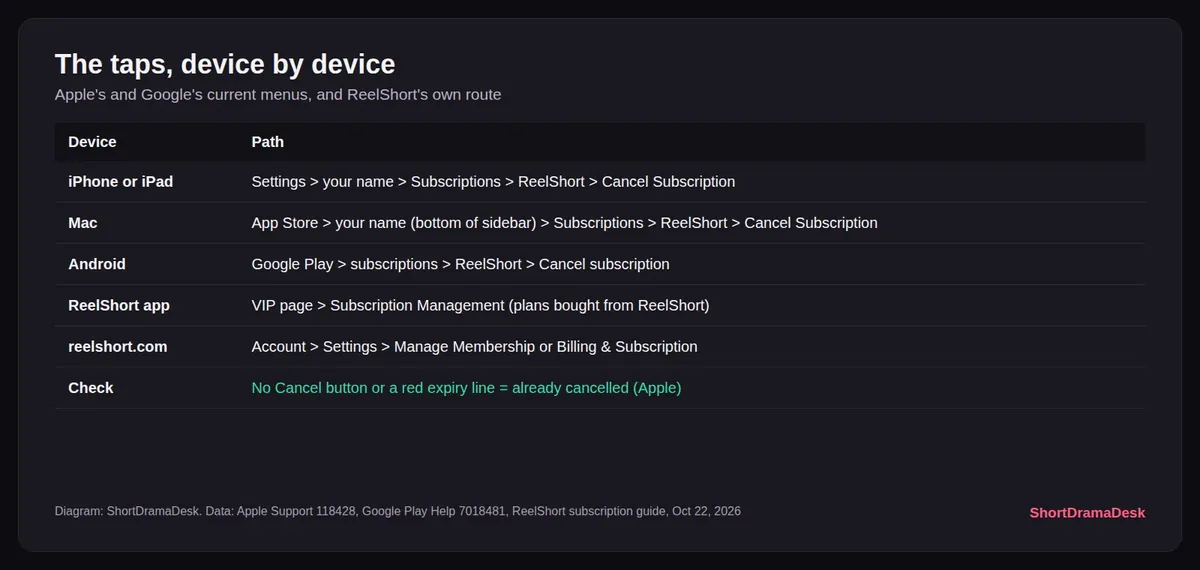 Diagram: ShortDramaDesk, from Apple Support 118428, Google Play Help 7018481 and ReelShort's subscription guide, Oct 22.
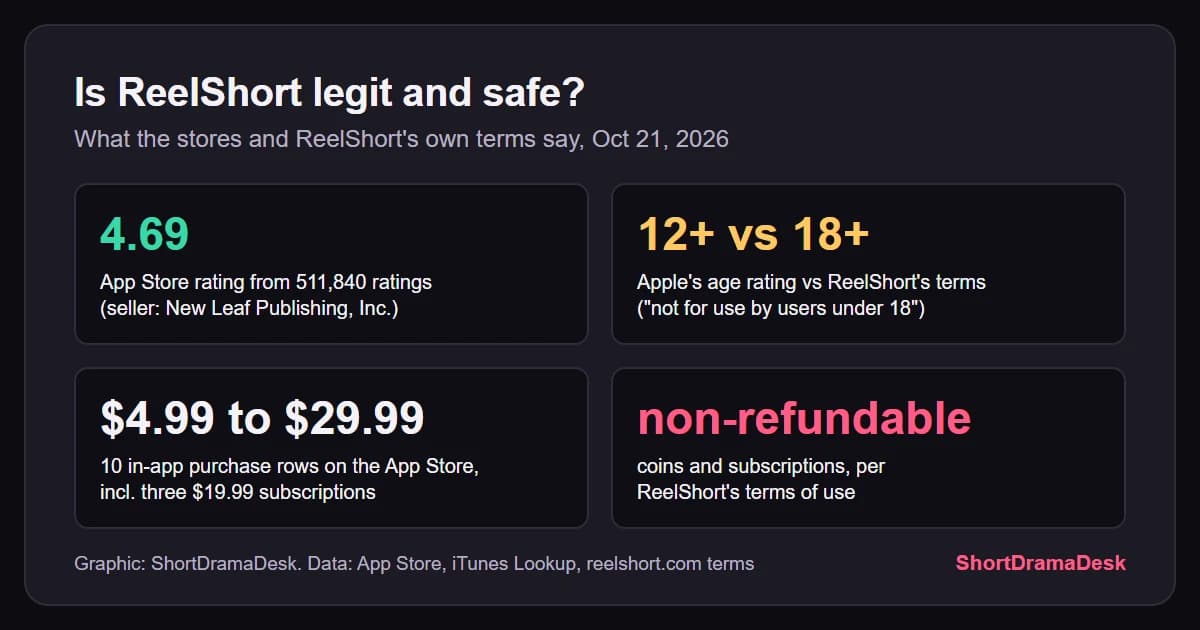
GODEEPER: Who sells ReelShort, what its terms say about refunds, and why coins are non-refundable. Is ReelShort Legit and Safe? 4.7 Stars, Non-Refundable Coins →
When to cancel: the day-before rule
A day early. ReelShort's terms are specific: "you must submit your request to cancel the subscription on or before the day prior to the applicable billing date." Cancel on the billing day itself and "you will be charged for your subscription up to the next billing date."
The stores act even earlier. The App Store listing says you are "charged within 24 hours before the start of each subscription period". Google says an authorization hold may be placed on your card "up to 48 hours prior to the beginning of the next renewal period". If your weekly plan renews on Saturday, cancel by Thursday, before the hour it renews.
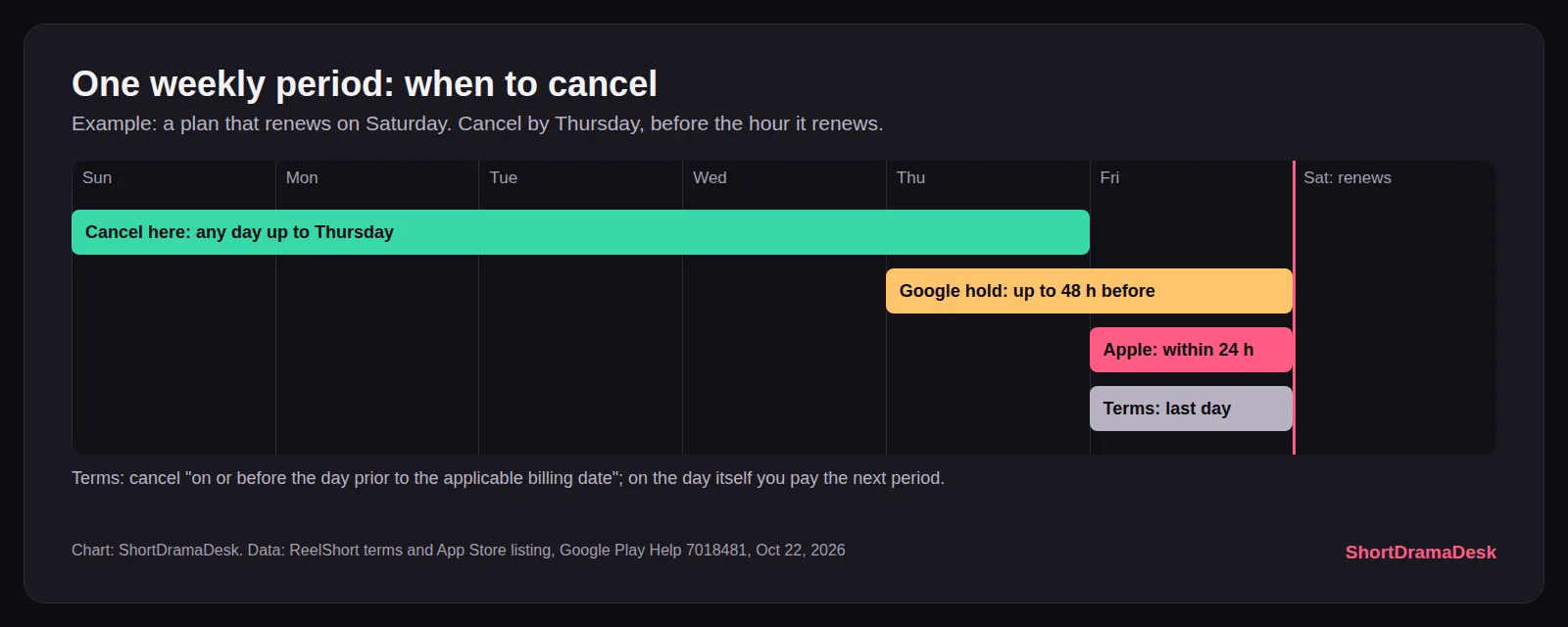 Chart: ShortDramaDesk, from ReelShort's terms and App Store listing and Google Play Help 7018481, Oct 22.
What does the plan cost while you wait? The App Store showed three "Subscription" rows at $19.99 on Oct 22. ReelShort's own subscription guide lists the standard weekly plan at $14.99, $11.99 for a new user's first week, $49.99 a month and $199.99 a year, with prices varying by region.
Desk note: ReelShort's terms promise a renewal reminder email "once every six months". If ReelShort bills you, a weekly plan charges 26 times between two of those emails: $389.74 at the $14.99 standard week in its subscription guide, by our math. Do not wait for the email.
If ReelShort is not in your subscriptions list
Look at the other account first. Apple: sign in to the Apple Account named on the receipt, and remember "You can't cancel a family member's subscription." Google: "If you can't find your subscription, it may be on a different account." Switch accounts in Play and look again.
Guest accounts are the messy case. If you watched as a guest and paid through Apple or Google, the store lists the plan under the Apple Account or Google account that paid, so the store steps above do not ask for a ReelShort login. If ReelShort billed your card and the app cannot find your login, write to support. ReelShort's help guide says the route is Profile, then Settings or the Help/Feedback icon. It also points to a Feedback link in the website footer.
Its help guide gives the timing too: support works "Monday to Sunday, starting at 12:00 AM to 8:00 AM (ET)", and agents reply within 24 to 48 hours. Paste your User ID from the profile page at the top of the message, and attach the receipt. For a charge you think is wrong, the terms name an address: [email protected].
Tips
- Deleting the app is not cancelling. Google: "When you uninstall the app, your subscription won't cancel."
- You keep what you paid for on Google Play. Its help page says you can use the subscription "for the time you've already paid".
- Coins are separate. Cancelling VIP leaves coin packs alone. If one drama is all you want, our cost calculator prices any ReelShort title in coins.
- Refunds are a different request. Cancelling stops the next charge only. The terms call subscription payments "final and non-refundable", so a refund goes through the store that billed you.
- Keep the proof. Screenshot the red expiry line or Play's subscription screen. ReelShort's help guide asks for exactly this kind of thing: "grab a screenshot of your digital receipt" from your store's purchase history.
GODEEPER: How ReelShort's per-episode coin price compares with a week of VIP, title by title. Cost to Finish a Short Drama: 13 ReelShort Titles Priced →
What viewers say
Two October reviews and one from April show where cancelling goes wrong: the wrong account, or a plan that kept billing.
- "Thought I cancelled the guest account. Got charged early for the next week." (App Store review, Oct 20)
- "it cant locate my login in the app but it works on the website" (App Store review, Oct 20)
- "make almost impossible to cancel the subscription" (Google Play review, Apr 27, marked helpful by more than 700 people)
ReelShort's reply to that last one: "you can cancel your subscription in your App Store or Google Store under the subscription tab." Right for store plans; no help for a plan bought on the website.
Our take
Cancel in the store that billed you, two days before renewal, then screenshot the expiry line. The terms charge a full period if you cancel on the billing day, and the stores can hold or charge your card up to two days early. If ReelShort bills you at its guide's $14.99 week, that is $389.74 between two reminder emails. If you paid on reelshort.com, use its VIP page, and email support when the login fails. We recheck these menus monthly.
What we don't know yet
- Whether VIP stays active until the end of a period ReelShort billed itself: the terms say cancelling "is effective immediately" and do not say more.
- Why the App Store shows $19.99 while ReelShort's own guide says $14.99 for the standard week. The same guide also says "The VIP plans cost range from $19.99 to $199", and that prices vary by plan and region.
How we checked this
On Oct 22 we read Apple Support 118428 and Google Play Help 7018481, ReelShort's terms of use (updated Oct 20, 2025), ReelShort's subscription and help-center guides on reelshort.com, the App Store listing and Apple's lookup record, the Google Play listing, and the newest App Store reviews through Apple's public feed. We did not subscribe or cancel a plan ourselves. ShortDramaDesk is in ReelShort's partner program (RS Boost); that changes no step here.
Frequently Asked Questions
Can I cancel ReelShort on the website? Only if you paid ReelShort directly. Its subscription guide says to log in on the website, open Settings and look for Manage Membership or Billing & Subscription. A plan bought through the App Store or Google Play can only be cancelled in that store, so check who sent the receipt first.
How do I cancel ReelShort as a guest? If Apple or Google billed you, cancel in the store: the store holds the plan, not your ReelShort login. If ReelShort charged your card and you cannot log in, email [email protected], the address its terms give for wrong charges, with your User ID and receipt.
Do I lose VIP right away when I cancel ReelShort? On Google Play, no: Google says you keep the subscription for the time you have already paid. ReelShort's own terms say cancelling through its VIP page "is effective immediately" and stops future charges; they do not say whether VIP access ends that day.
Why can't I find ReelShort in my subscriptions? It is usually on another account or another biller. Apple says to search your email for "receipt from Apple" and check which Apple Account is on it. Google says the subscription "may be on a different account". No store receipt means ReelShort or someone else billed your card.
How much does ReelShort VIP cost a week? The App Store listed three "Subscription" rows at $19.99 on Oct 22, and its description says the plan is billed weekly. ReelShort's own subscription guide prices the standard weekly plan at $14.99, with prices varying by plan and region.
How do I contact ReelShort support about a charge? In the app, go to Profile, then Help/Feedback, and pick Payment Issue or Subscription Issue. ReelShort's help guide says agents reply by email within two days, with support hours of 12:00 AM to 8:00 AM Eastern, Monday to Sunday.
Related Reading
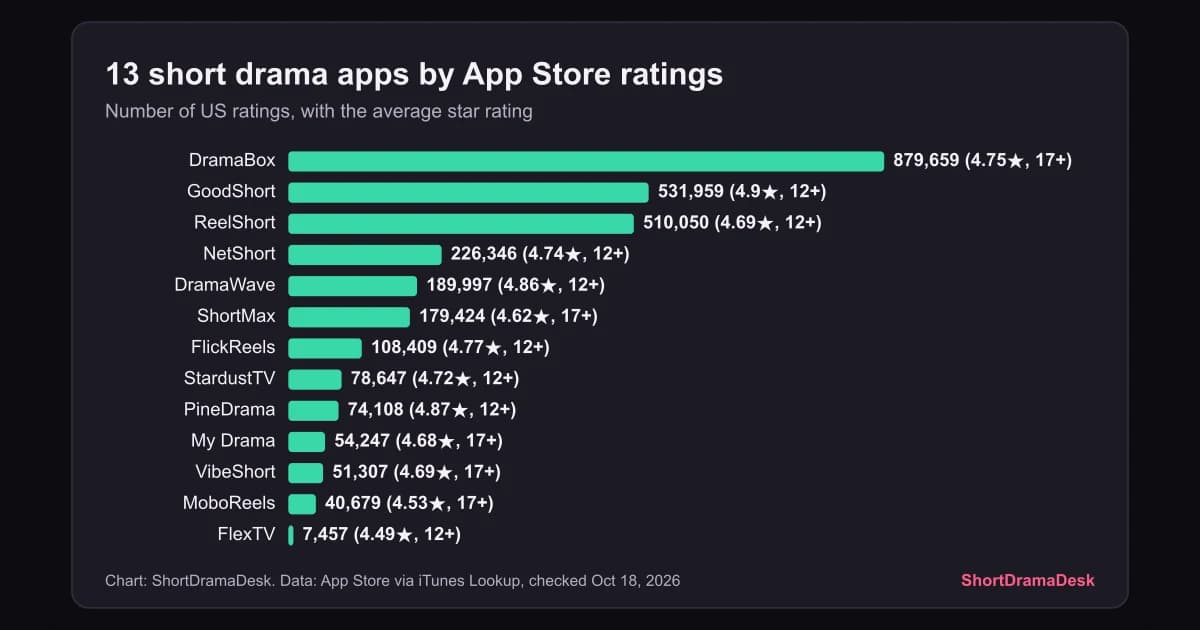
- Best Short Drama Apps Compared: 13 Apps, One Coin Price: every big app's prices, ratings and free episodes side by side.
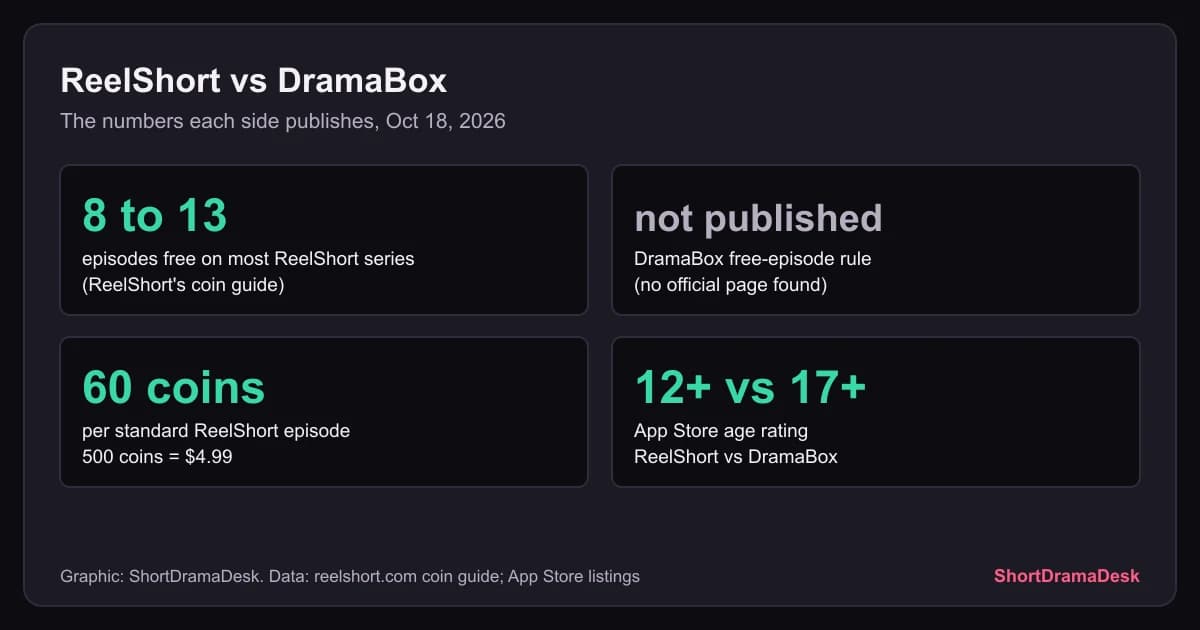
- ReelShort vs DramaBox: One Publishes a Price, One Does Not: the two biggest apps, their store prices and their paywalls.
- Where to Watch Just One Kiss: 11 Free Episodes on ReelShort: one ReelShort drama, its free episodes and its coin cost.
References
- Apple Support: Cancel a subscription from Apple
- Google Play Help: Cancel, pause, or change a subscription on Google Play
- ReelShort terms of use: reelshort.com/web-terms.html
- ReelShort: All About ReelShort Subscription
- ReelShort: Customer Service & Help Center
- ReelShort on the App Store: apps.apple.com
- Apple iTunes Lookup: ReelShort record
- ReelShort on Google Play: play.google.com
- App Store reviews feed: ReelShort, most recent
Ask the desk: a question about a kit, a release month or a price? Email contact@shortdramadesk.com. We answer in the article FAQ with the date, not by private reply (how it works).
Was this guide helpful?
About the author

Editorial desk
The ShortDramaDesk desk. We read each app's own drama pages, coin price lists and App Store listings on a stated day, and keep our own catalog of where each drama streams. We don't rate dramas we haven't watched.
Keep reading
Is ReelShort Legit and Safe? 4.7 Stars, Non-Refundable Coins
App Guides · 10 min

Cost to Finish a Short Drama: 13 ReelShort Titles Priced
App Guides · 10 min
ReelShort vs DramaBox: One Publishes a Price, One Does Not
App Guides · 9 min
Best Short Drama Apps Compared: 13 Apps, One Coin Price
App Guides · 18 min
Dramas Like Just One Kiss: 7 Campus Love Stories Ranked
Tropes · 11 min
Dragon Short Dramas Like The Dragon's Silly Captive: 9 Picks
Tropes · 13 min
New Short Dramas This Week: 477 Releases, Oct 16 to 22
Where to Watch · 8 min
Is ReelShort AI-Generated? 6 of 21 Say Yes, 15 Say Real Cast
AI Dramas · 10 min
Disclaimer
Episode counts, free episodes, coin prices and AI labels come from each app's own drama pages and coin guides; store ratings and in-app prices come from the App Store and Google Play. All are snapshots from the day we checked, and apps change them. Check the price in the app before you pay.
Articles are researched and written with AI tools, and every fact is checked against its source before publishing (see How we use AI). Corrections are made in the article with a dated PATCH line.
ShortDramaDesk is an independent viewer guide: no app owns or reviews it. The site carries no ads. A service can pay to be listed in an app comparison: that listing is marked Sponsored, and the payment never changes its place, its figures or our verdict. Some app links on the site are affiliate links (ReelShort through RS Boost (cps.reelshort.com); DramaBox, ShortMax, NetShort and StardustTV through DramaCPS (dramacps.com)): ShortDramaDesk may earn a commission if you install the app or pay in it after clicking one, and that never decides which dramas, apps, figures or prices we show (see Affiliate links).